Product Introduction VideoCollapseExpand
Applicable scenarios
- Multi person parallel development projectThe table structure frequently changes, and there is no longer mutual "trampling" when publishing. The target environment always has a consistent structure and a sense of confidence.
- Release link for multi environment circulationWhen advancing layer by layer from dev → test → uat, synchronize the upstream structure to the downstream with just one click, automatically archive changes to SQL, and execute online after downloading verification.
- A team with a fixed publishing rhythmConverge scattered and manually maintained SQL changes into a unified, retrievable, and version based historical repository, bidding farewell to the eternal puzzle of "who made the changes, what was changed, and why".
Target user group
Anyone who deals with database structure changes every day can benefit from it: whether you are the overall infrastructure manager, a development engineer deeply involved in the business, or a responsible database operator. It is particularly suitable for teams with "many environments, frequent changes, and few personnel" - replacing countless manual SQL queries with one click.
 Programmer/Software DevelopmentOps/System Administrator
 Software/IT ServicesInternet/Platform
Core Features and Functions
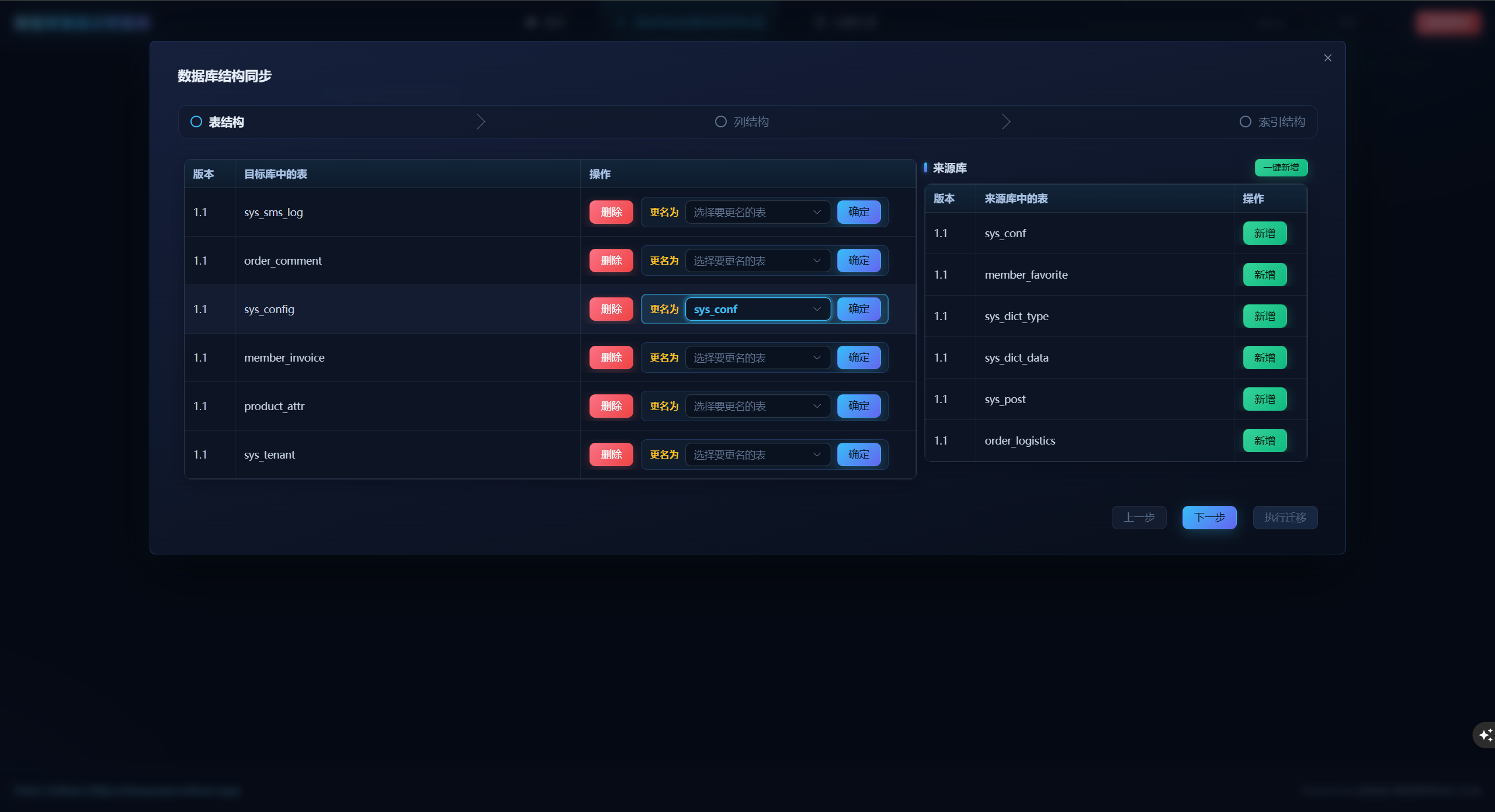
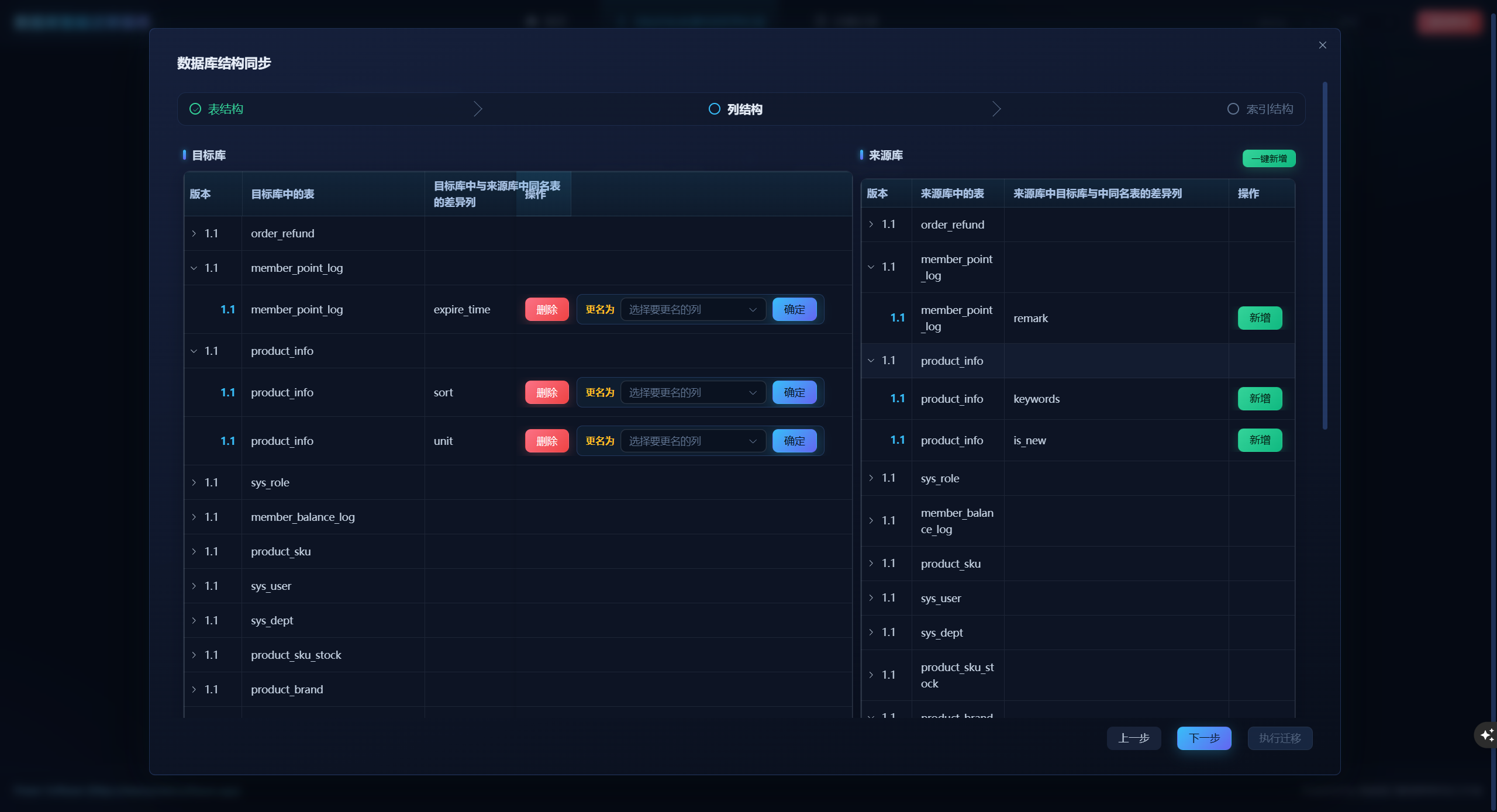
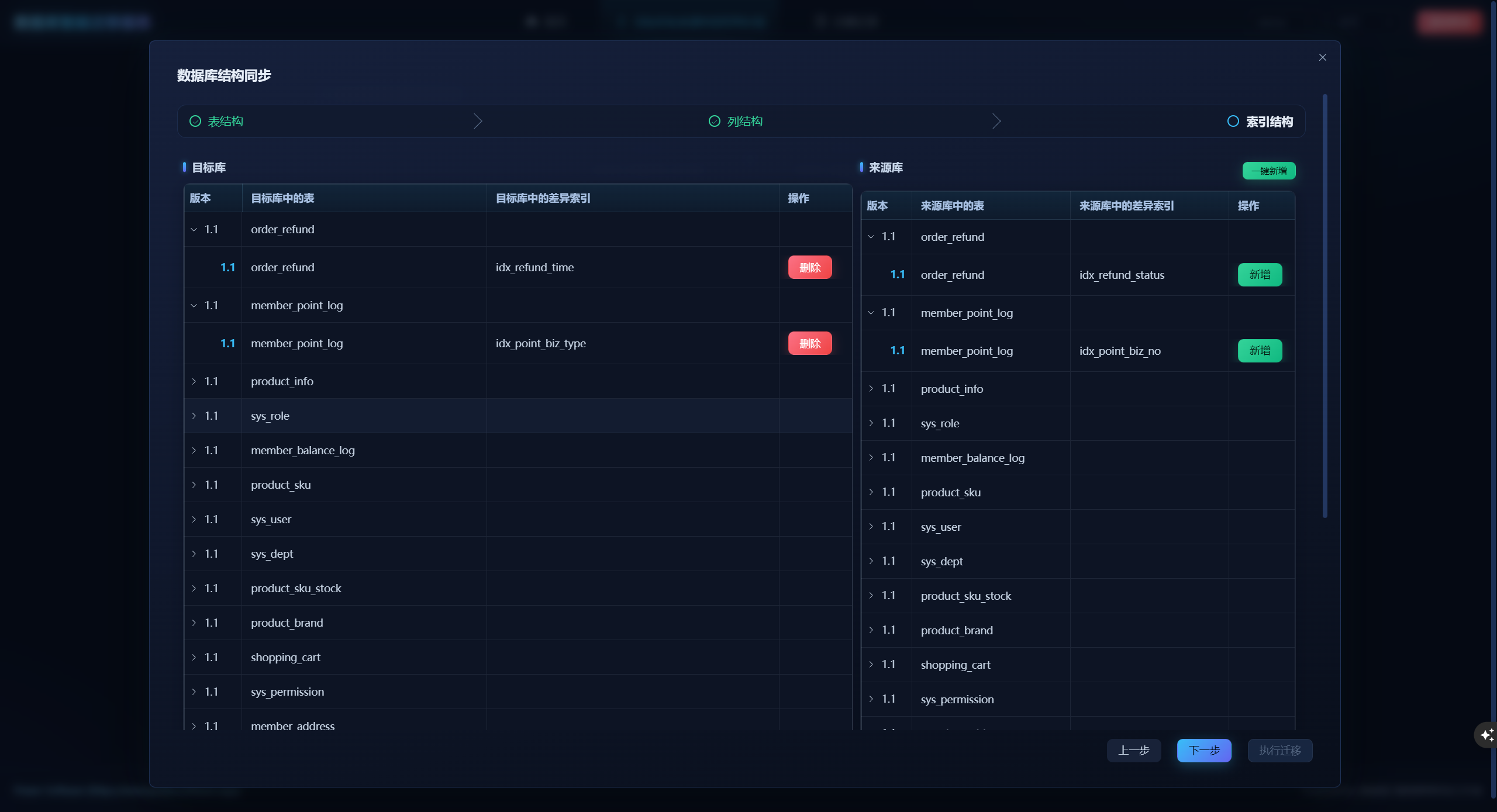
- Differences are all in sightThe differences between tables, columns, and indexes are presented item by item, and it is up to you to decide which ones to change and which ones to keep, rather than tools taking care of you.
- Rename mapping, do as you pleaseTable names and field names can be directly mapped to source library names, covering all real-world scenarios such as refactoring, partitioning, and normalization.
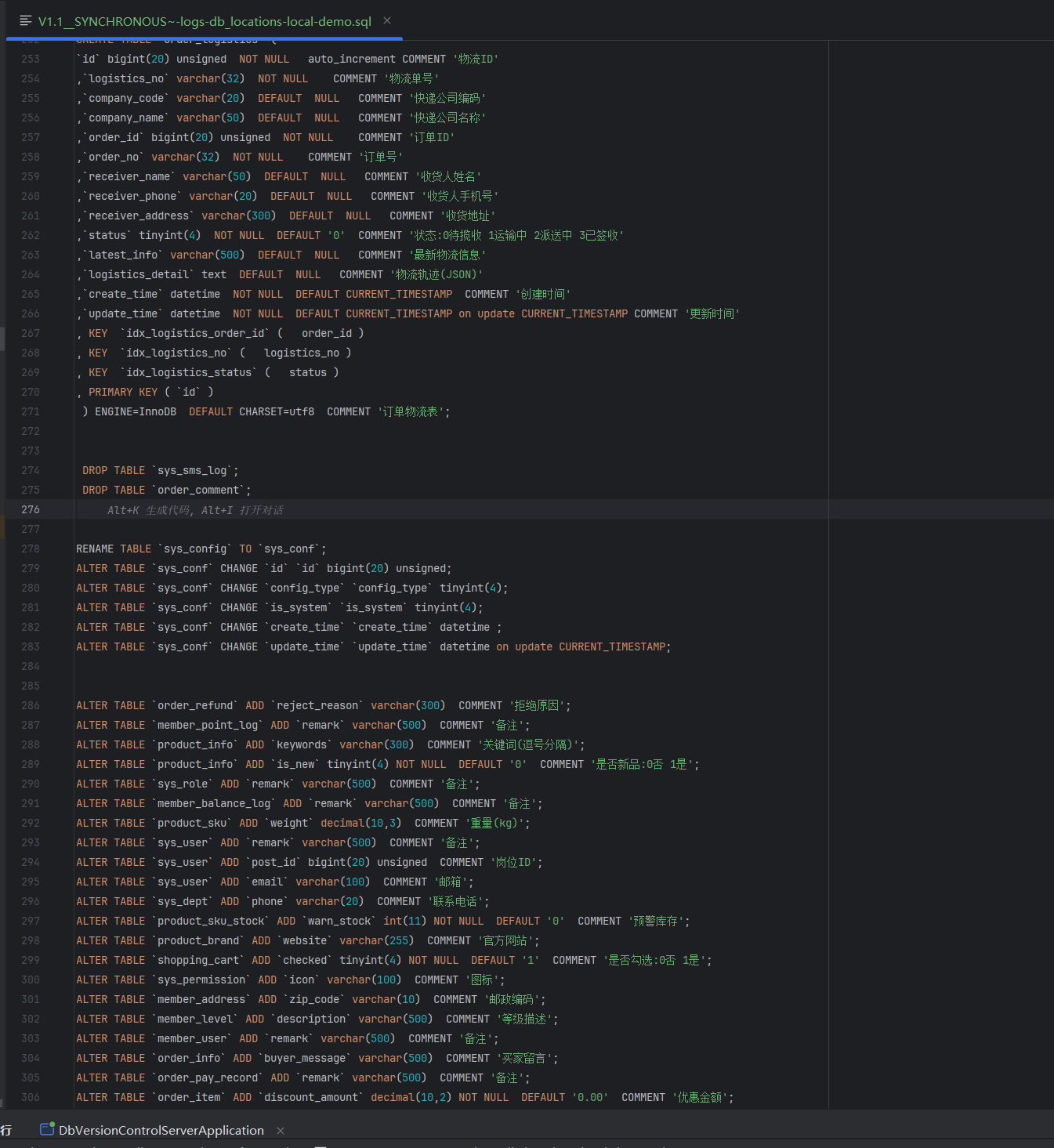
- Zero omission of attributes: NOT NULL, COMMENT and other field attributes automatically fall into the SQL file, with no errors in details and easier auditing.
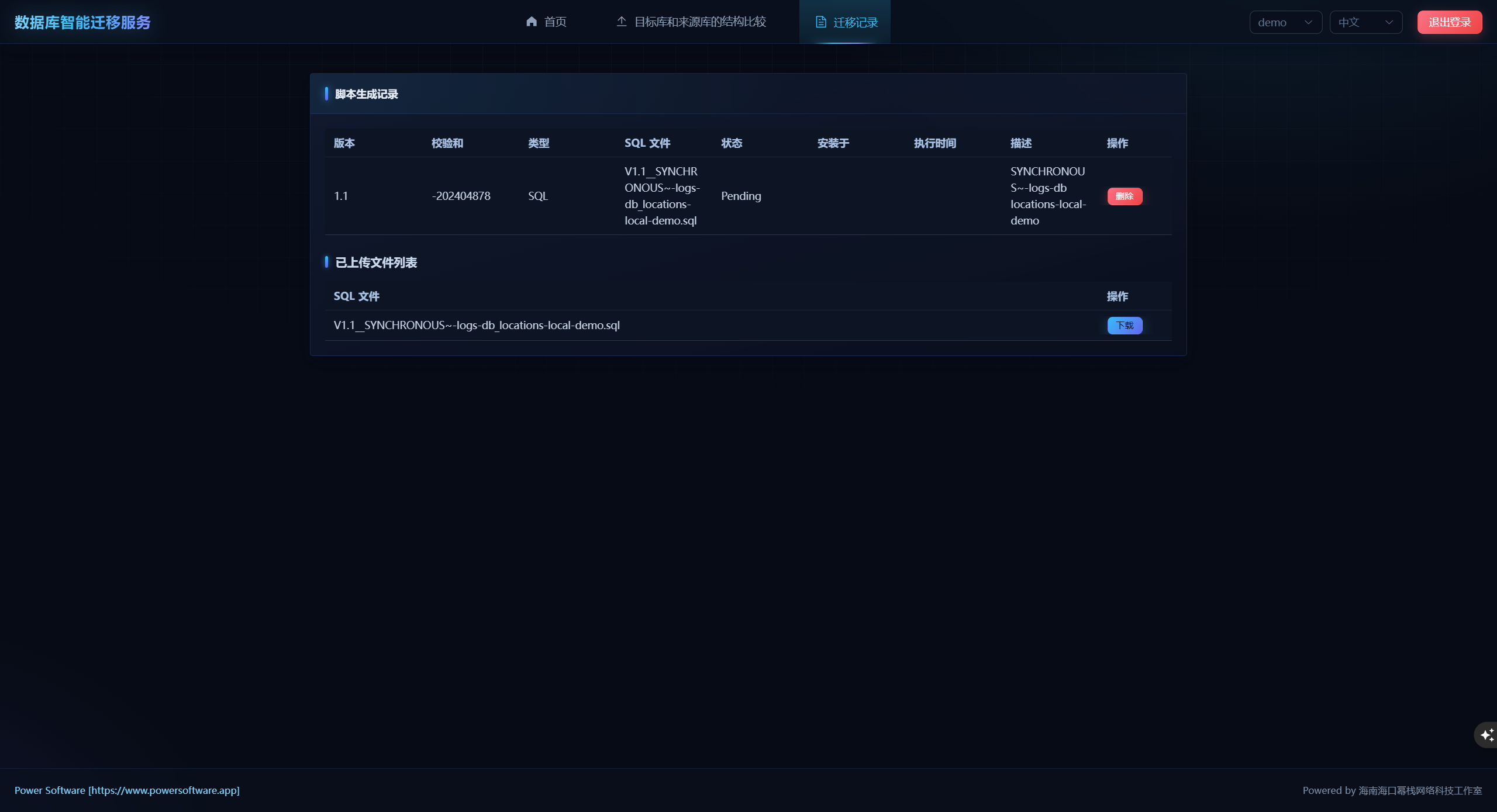
- Version based outputEach comparison results in a new SQL version that can be downloaded, verified, and traced at any time, making the change process clear at a glance.
- Data security priorityOnly move the structure, not the data - any table or column that has not been deleted will not have a single byte of data recorded passively.
- Clear ability boundariesCurrently supports MySQL, covering core migration items such as database tables, table properties, column names, column properties, index names, index properties, etc. (foreign keys are not currently supported).
The pain points addressed by this product/the shortcomings of competing software products
- Say goodbye to the one size fits all synchronization approachTraditional tools directly synchronize as a whole, unable to select by column, and extra tables and columns in the target library are often quietly discarded; And this tool puts every difference on the table, it's up to you to decide whether to keep it or not.
- **Say goodbye to the embarrassment of 'unable to change name'**Faced with high-frequency reconstruction needs such as table renaming and field renaming, traditional tools can only stare blankly; This tool supports arbitrary renaming mapping, and refactoring no longer harms the bones and muscles.
- **Say goodbye to the loss of control of 'no trace of improvement'**Traditional tool changes leave no trace, and problems cannot be traced back; This tool ensures that every change is traceable and has SQL for auditing.
- **Say goodbye to the risk of 'data being overwritten'**What's even more frightening is that row data is directly overwritten, leading to environmental confusion and data crosstalk; This tool only generates structural changes and maintains the bottom line of data security.
Partners and Successful Cases
This tool has been deeply implemented in the developer's company, running through the entire process from development to launch:
- dev → testPreviously, it was common for testing environments to encounter errors due to a missing field; Nowadays, testers can synchronize dev structures to tests with just one click, eliminating problems before they occur, and the collaboration between testing and backend has shifted from "repeated bickering" to "smooth and efficient".
- test → uatThe same process naturally extends downstream, and the environmental structure at each stage remains consistent. Joint debugging and acceptance are no longer hindered by "environmental inconsistencies".
- uat → onlineProduction release adheres to the principle of "tool generation, manual verification, and script execution" - tools are responsible for producing accurate and error free migration SQL, and online actions are confirmed by manual execution, enjoying automation efficiency while maintaining production safety bottom line.
Technical Support and Services
- After sales service has temperatureAfter purchase, we provide a 3-day free centralized Q&A service, followed by long-term and irregular Q&A support, so you can use it with confidence.
- Customization without thresholdSupport secondary development of functions, customization as needed, cost negotiable.
- Deployment is guaranteedSelect 'Deploy+Download' and have a dedicated person remotely assist with installation; Select 'Download Only', with detailed accompanying documentation, and easy deployment on your own.
- Full delivery of source codeThe source code is delivered together, and the product belongs to you. The subsequent evolution is completely independent.
Deployment/usage prerequisites
- Local or server with Java 8 or above runtime environment.
- Local or server can access the database to be operated normally.
Implementation/Deployment StepsCollapseExpand
- After downloading the software package, enter /Modify the MYSQL address in the config file of application-local.yml.
databases_sync:
  name_spaces:
    demo:
      source:
        datasource:
          url: ${source_1_url:jdbc:mysql://192.168.56.101:3306/source_db?characterEncoding=utf-8&autoReconnect=true}
          username: ${source_1_username:root}
          password: ${source_1_password:123456}
          driver-class-name: com.mysql.cj.jdbc.Driver
      target:
        datasource:
          url: ${target_1_url:jdbc:mysql://192.168.56.101:3306/target_db?characterEncoding=utf-8&autoReconnect=true}
          username: ${target_1_username:root}
          password: ${target_1_password:123456}
          driver-class-name: com.mysql.cj.jdbc.Driver
The demo is the DB schema group name, and multiple groups can be added.
- Return to the root directory to run
java -Dfile.encoding=UTF-8 -jar db-smart-migrate-service-2.0.0-RELEASE.jar --spring.config.location=file:./config/
Instructions for Use
- Login username and password are admin/123456
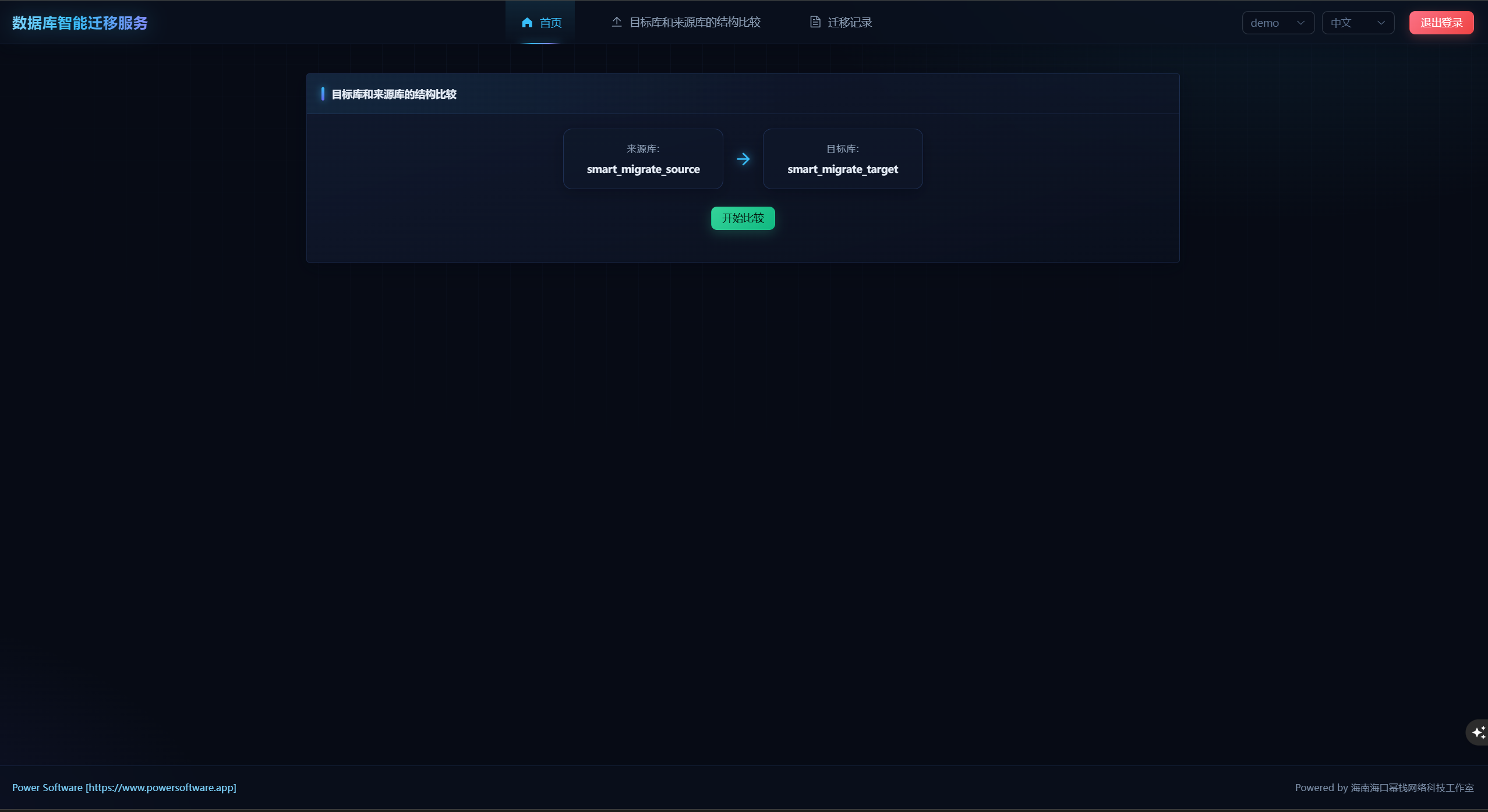
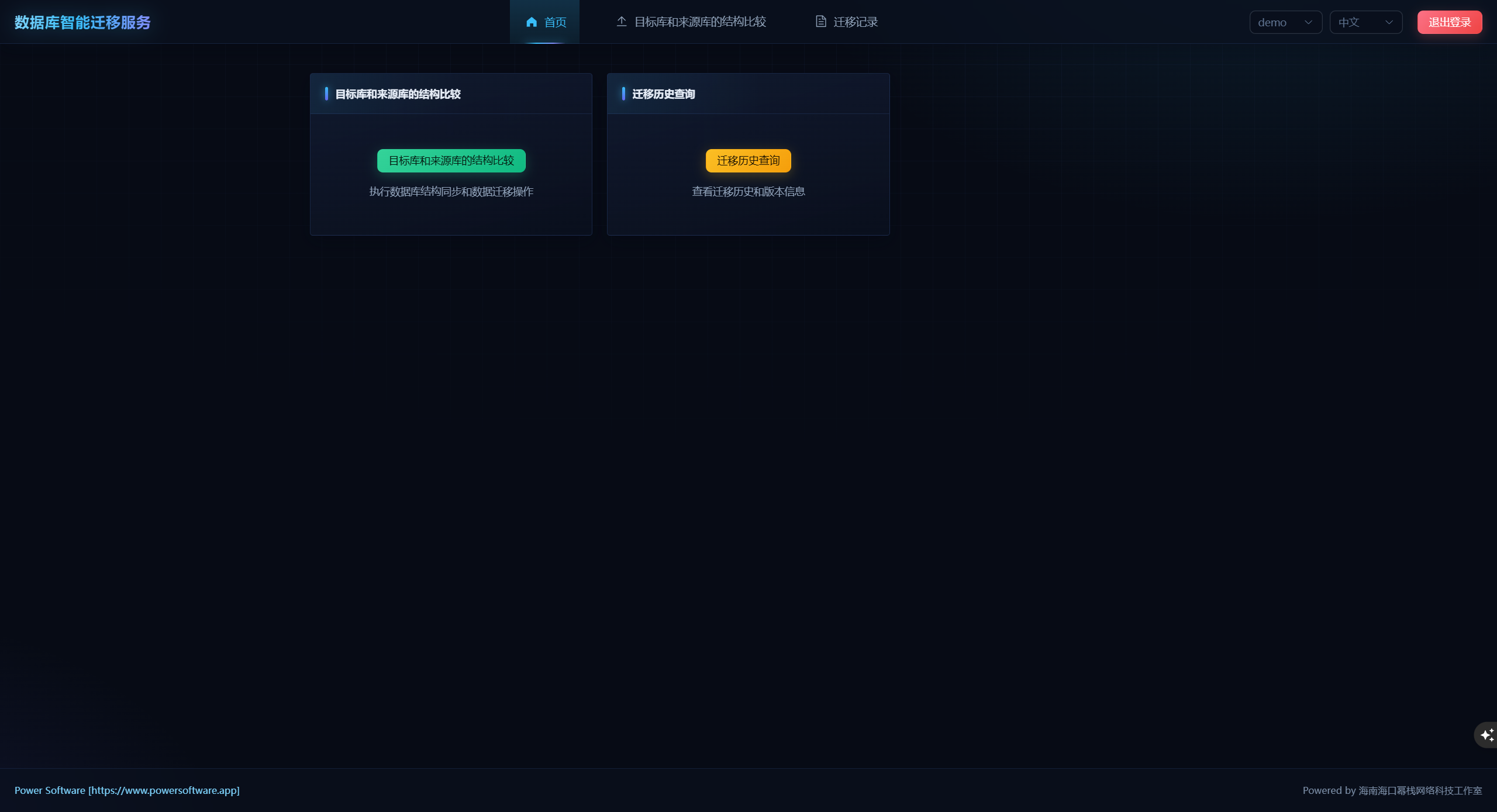
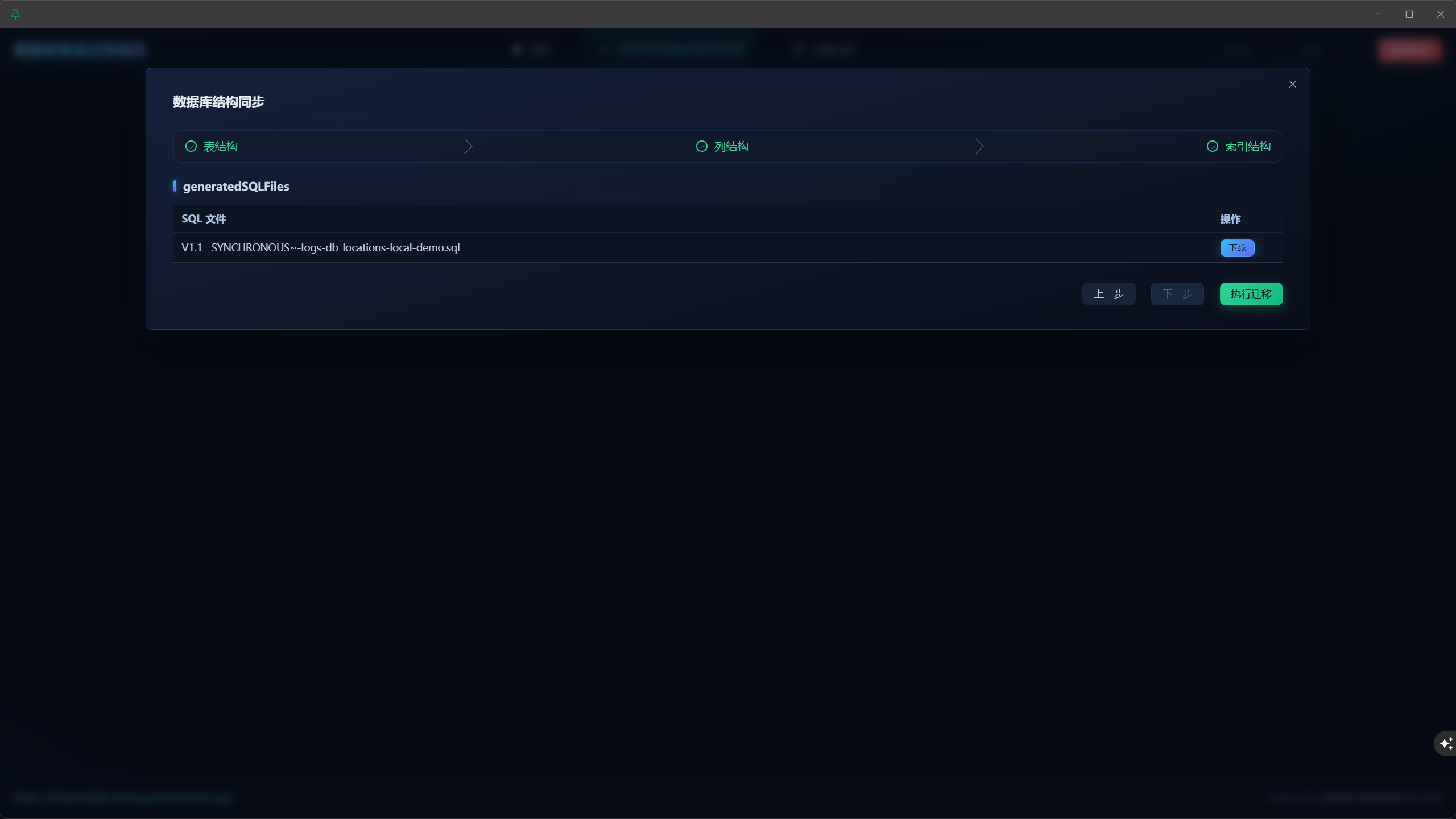
- Click on the structure comparison between the target library and the source library, click on the start comparison to pop up an operation dialog box, and perform the operation according to your own needs. After completion, click on download SQL to verify whether the structure is correct.