Product Introduction VideoCollapseExpand
Applicable scenarios
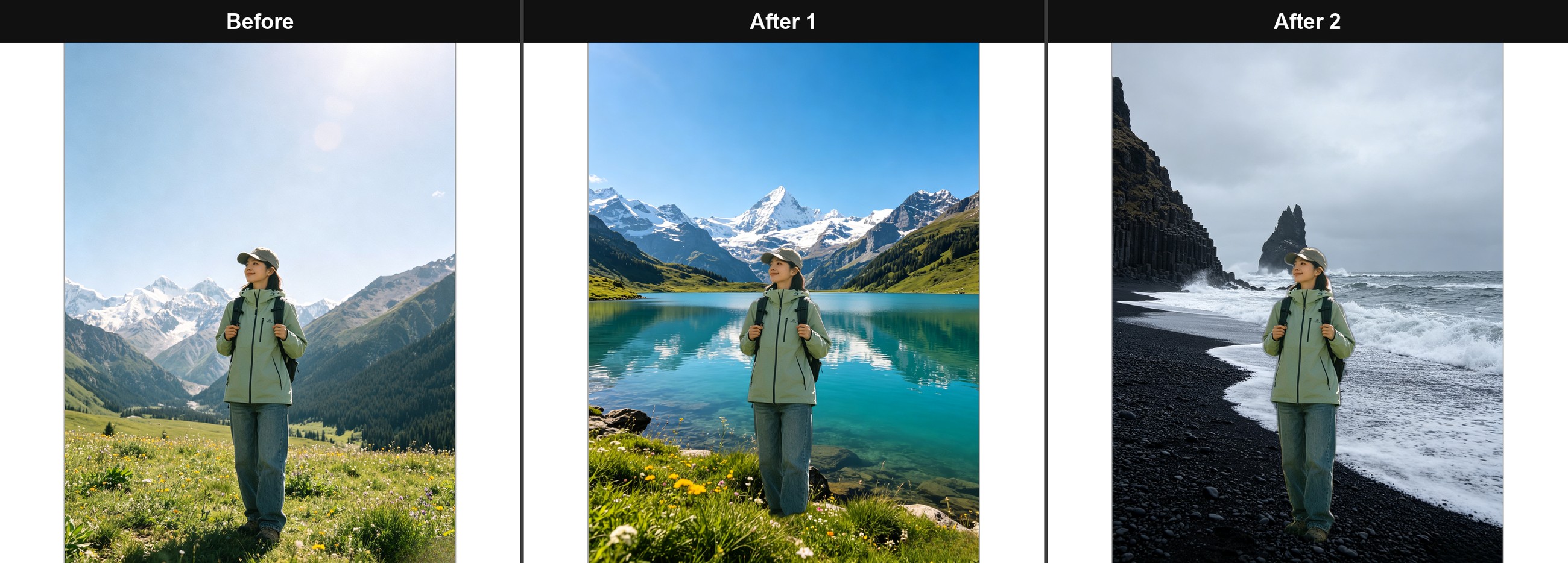
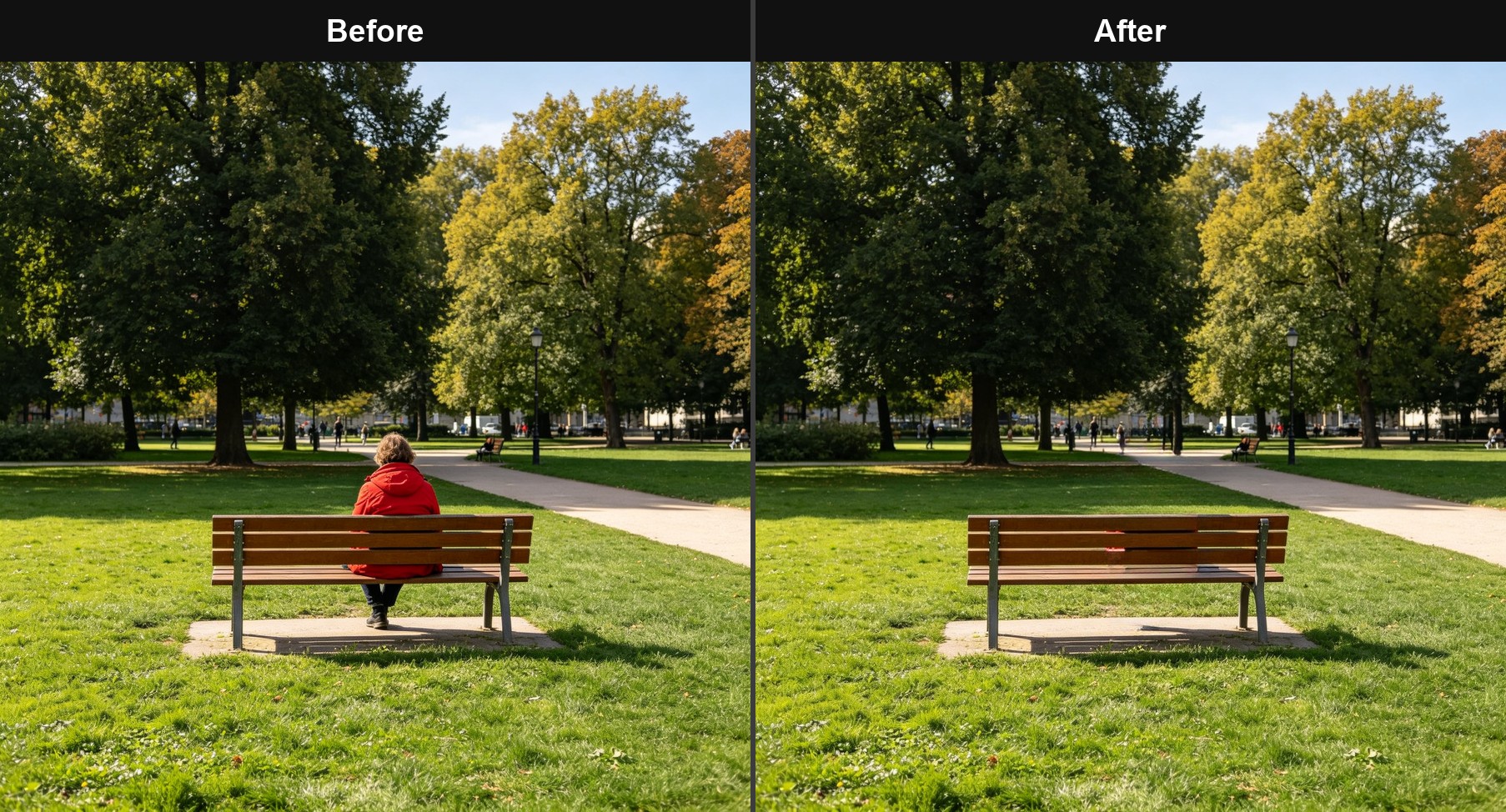
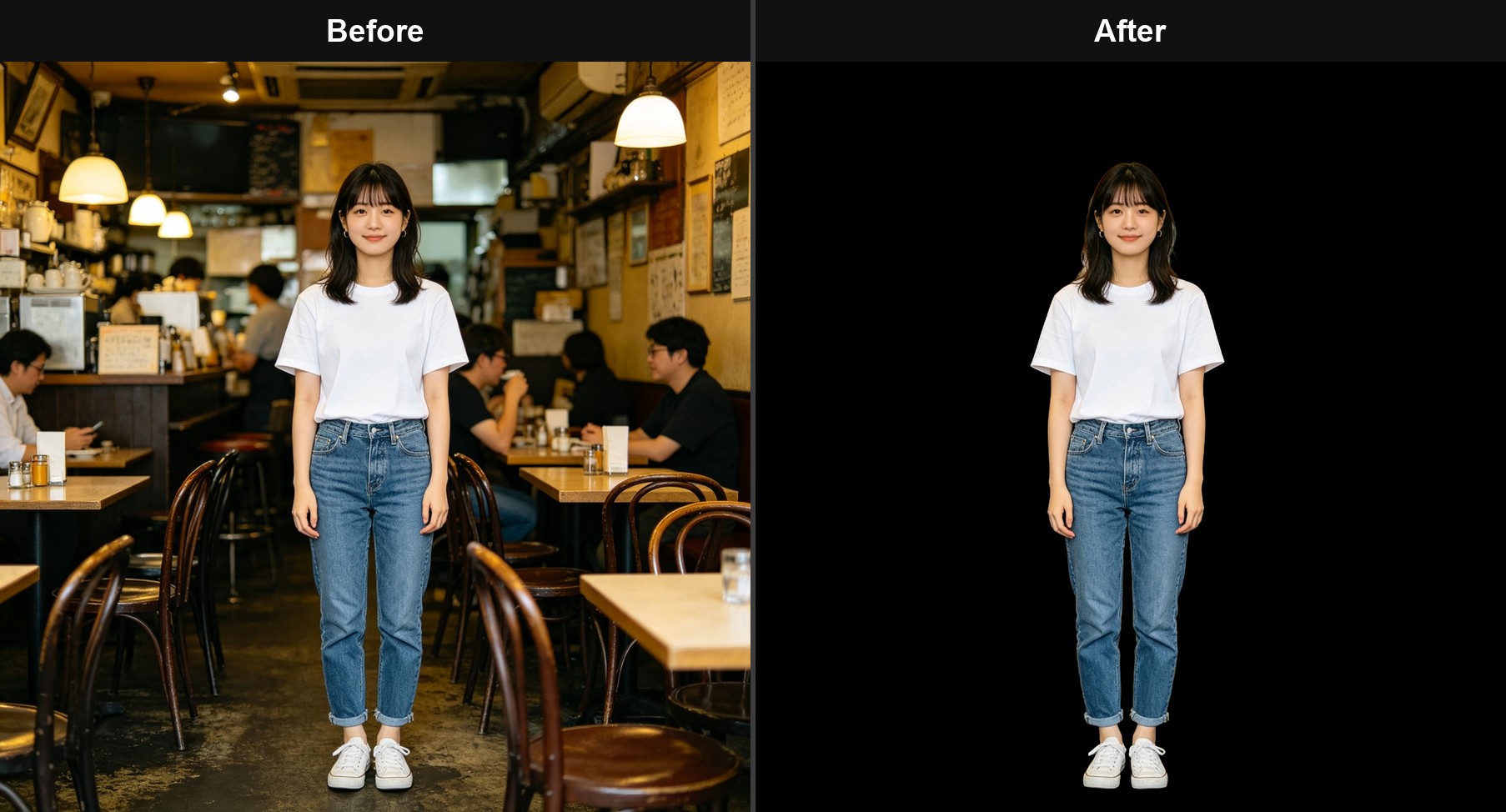
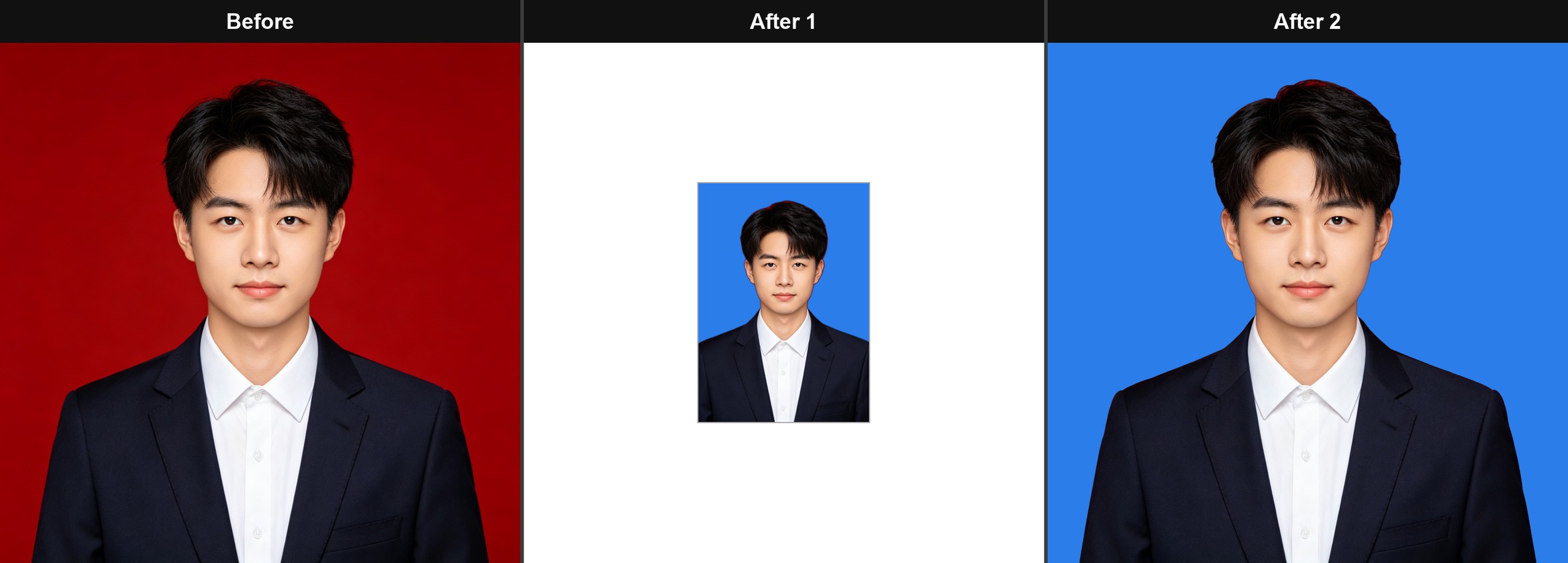
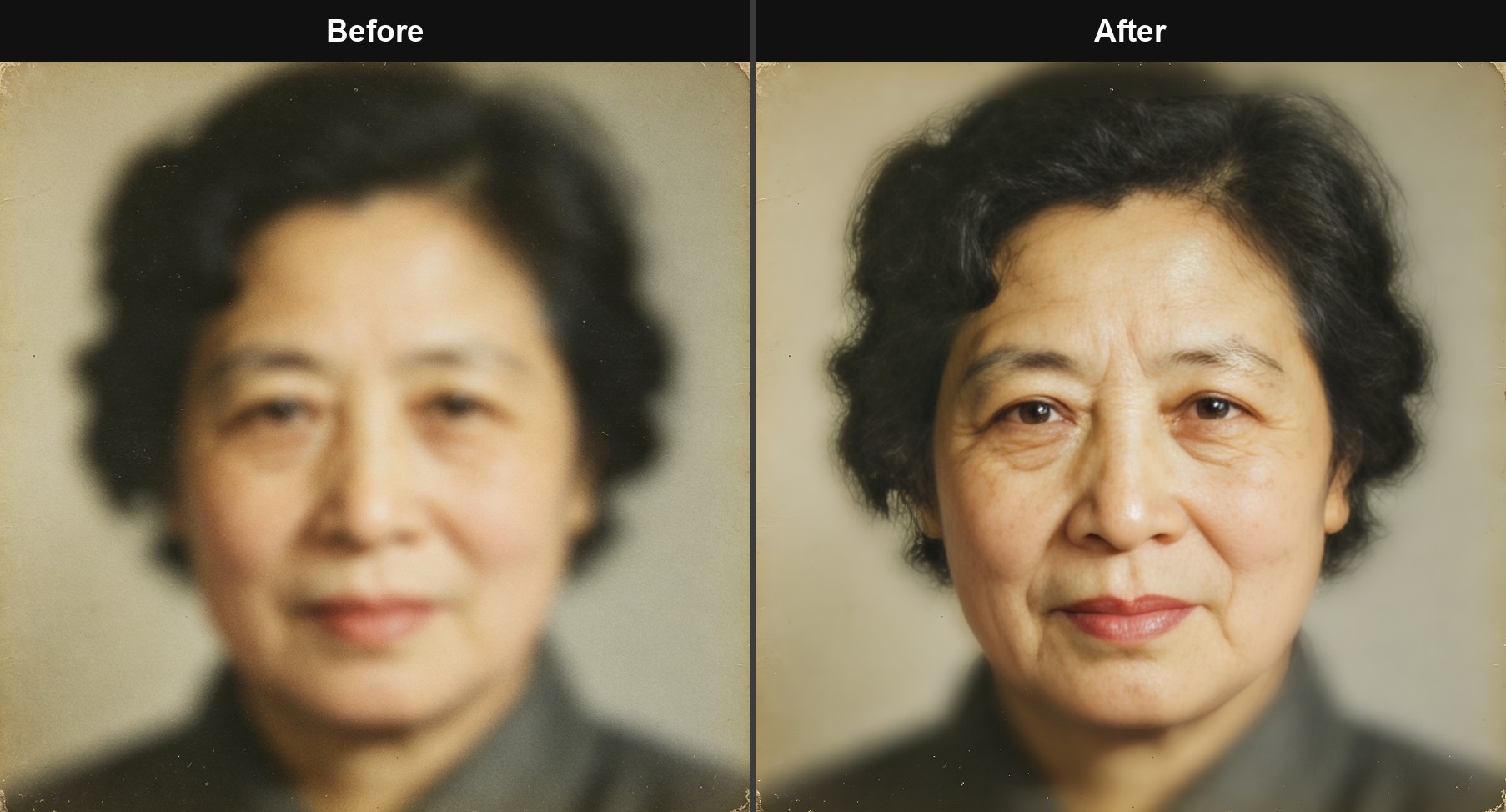
- Office and daily life: taking photos to remove backgrounds, removing pedestrians, generating multi size and multi color ID photos, removing stains from scanned documents, repairing blurry photos, and high-definition portraits; One click replacement for ID selfie
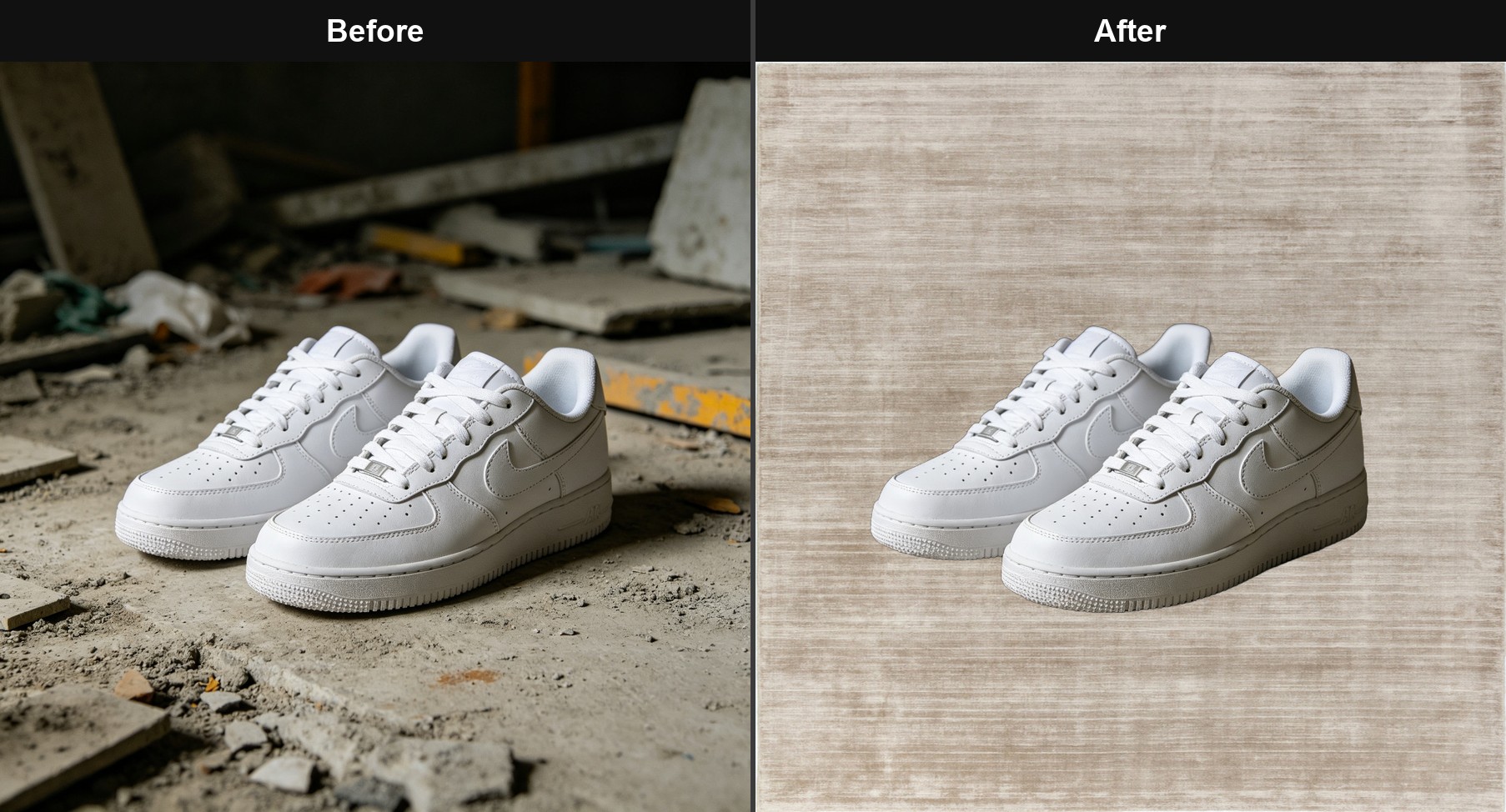
- E-commerce: Product images are watermark free, clutter free, background free, enlarged and repaired before being directly listed; One click application of platform specifications for main image/detail image/first image cover
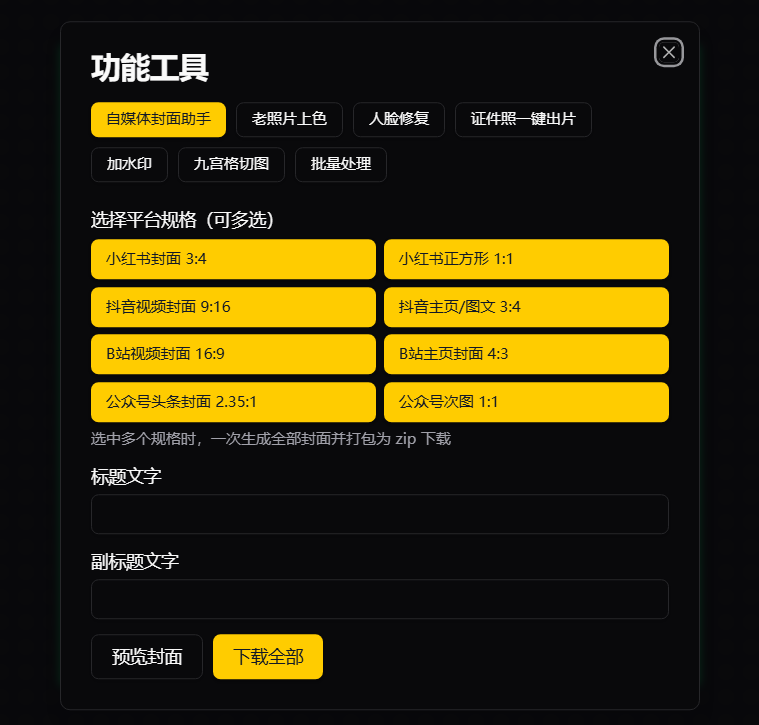
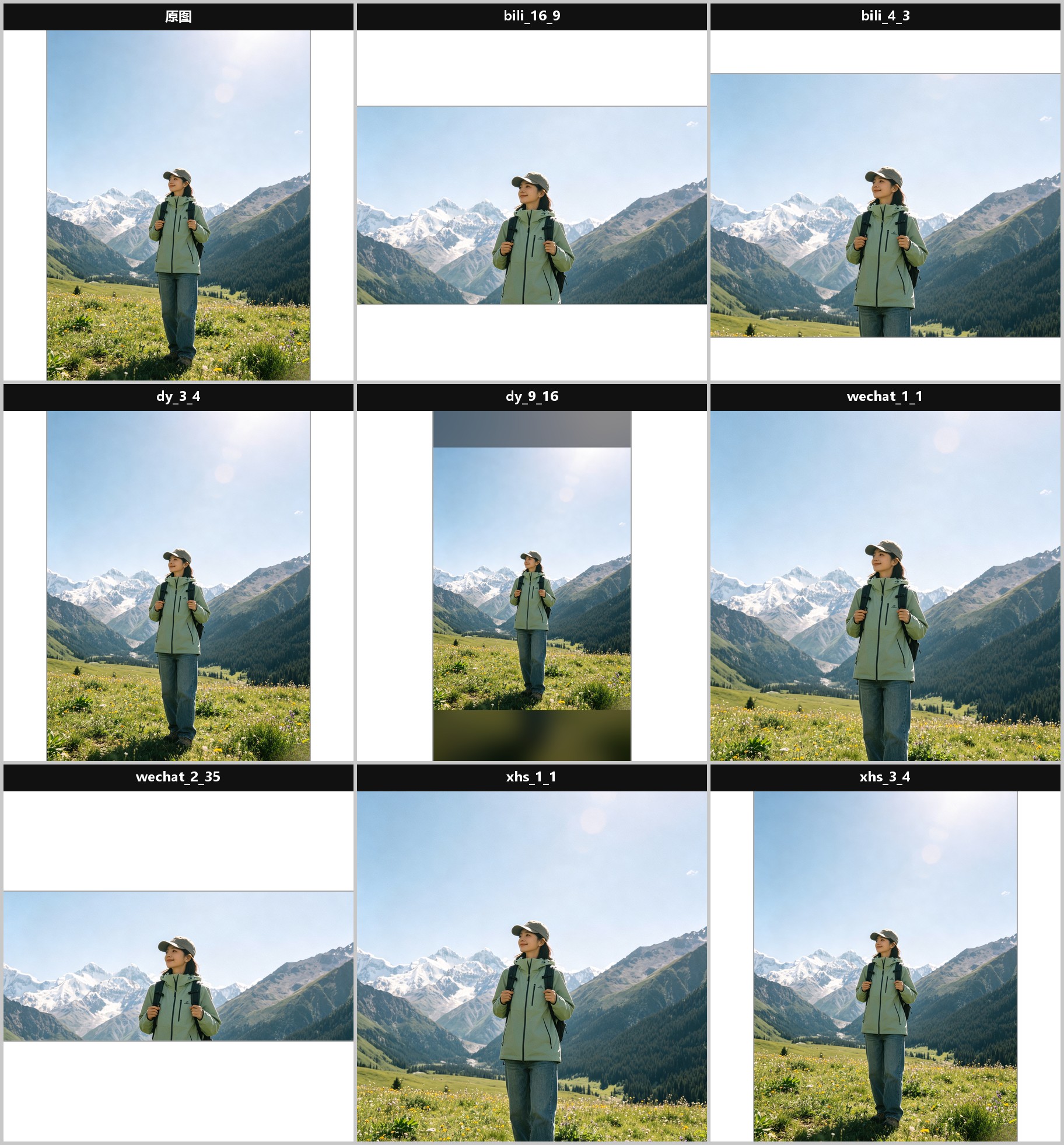
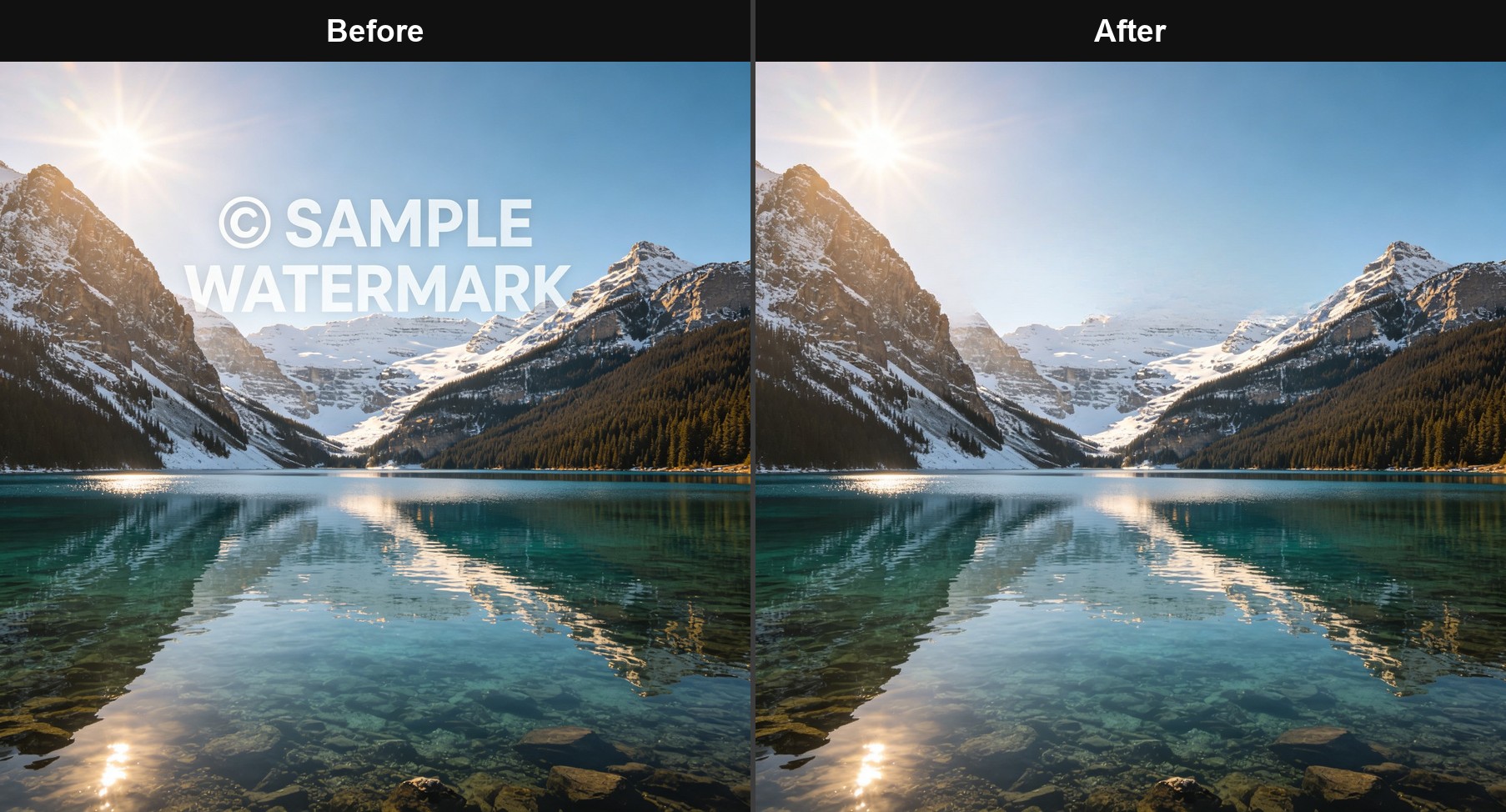
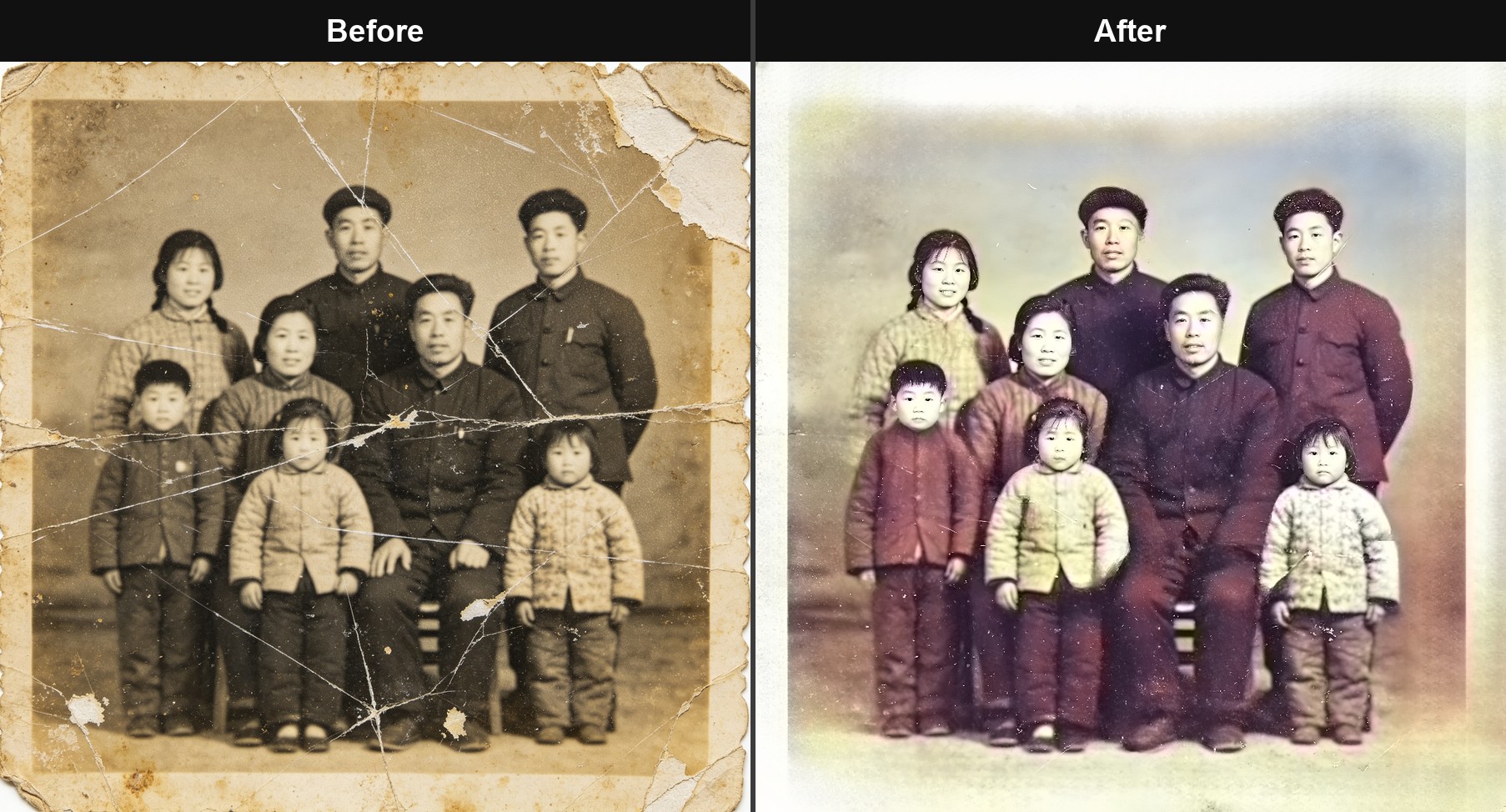
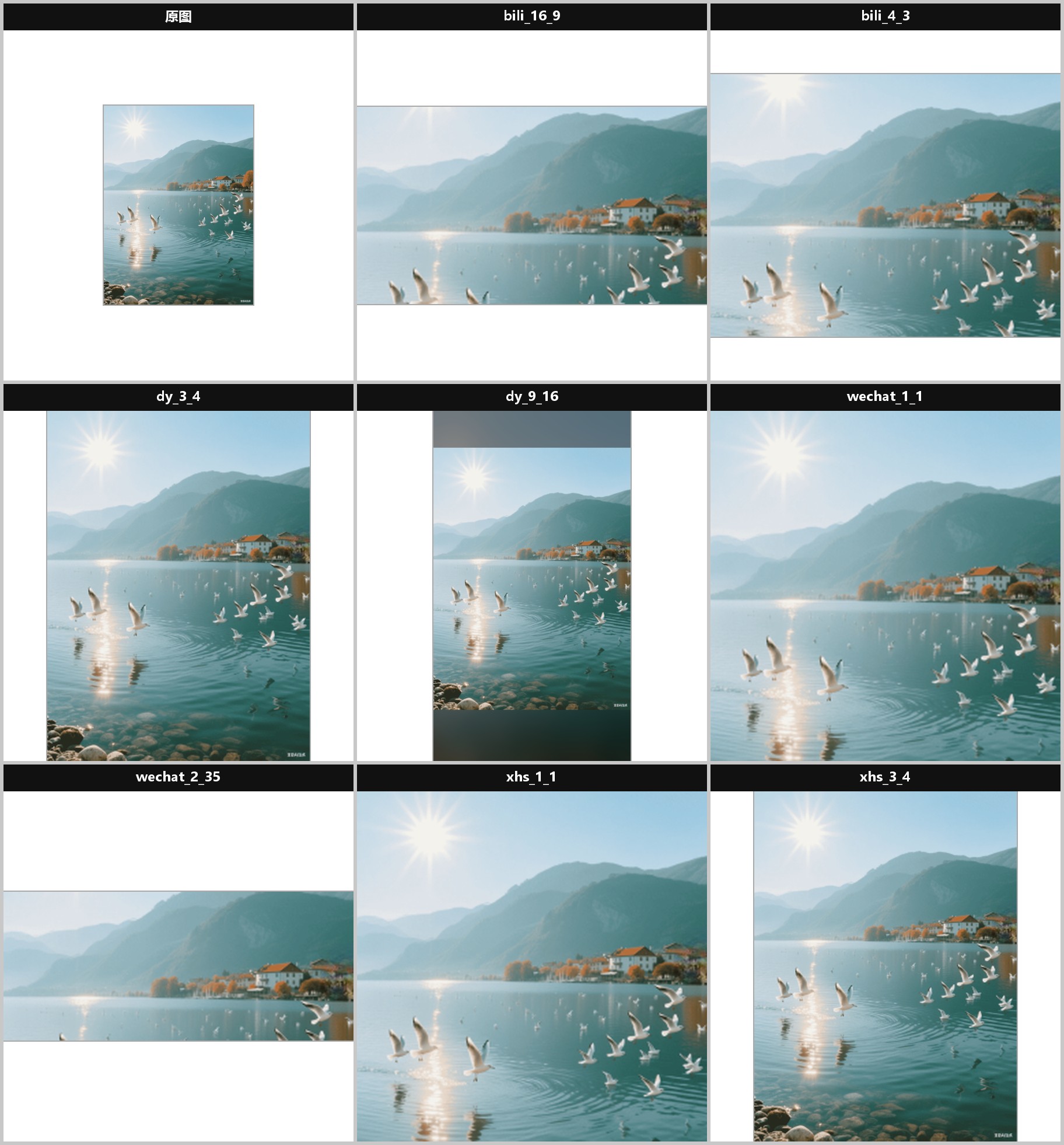
- We media: small red book/Tiktok/B station/official account, 8 specifications, one button plot; Image watermark removal, old photo restoration, and one click cutout of people/items;
- Design: Material expansion (AI image expansion), handwriting on images (sign/poster text generation)
- Batch scene: all batch operable functions are supported, uploading the entire directory, batch watermarking, batch amplification, batch bottom changing, batch background changing, batch face repair, batch ID photo generation, batch red book/Tiktok/B station/official account 8 specifications, one click mapping
Target user group
- Ordinary users who do not want to learn Photoshop and do not understand coding, but require professional image editing skills
- E-commerce operation and shop owners (cleaning, cropping, zooming in, and changing backgrounds of product images)
- Self media creators (watermark removal, cover assistant, old photo restoration)
- Designer, photographer (batch processing, secondary creation of materials)
- Office staff who require local, private, offline photo editing tools
 General (All Occupations)UI/UX DesignGraphic Design/IllustrationCreative Arts (Painting/Photography/Music)Creator/Content CreatorE-commerce Seller/Shop Owner
 Advertising/MarketingContent Creation
Core Features and Functions
| function | Free Edition | Basic Edition | Flagship Edition | advanced version |
|---|---|---|---|---|
| AI smear removal (watermark/debris removal, LaMa) | ✅ | ✅ | ✅ | ✅ |
| Intelligent click to clear (SAM click to select and then clear) | — | ✅ | ✅ | ✅ |
| One click cutout to remove background (more than ten models) | — | ✅ | ✅ | ✅ |
| Super resolution magnification (RealESRGAN 2x)/4x) | — | ✅ | ✅ | ✅ |
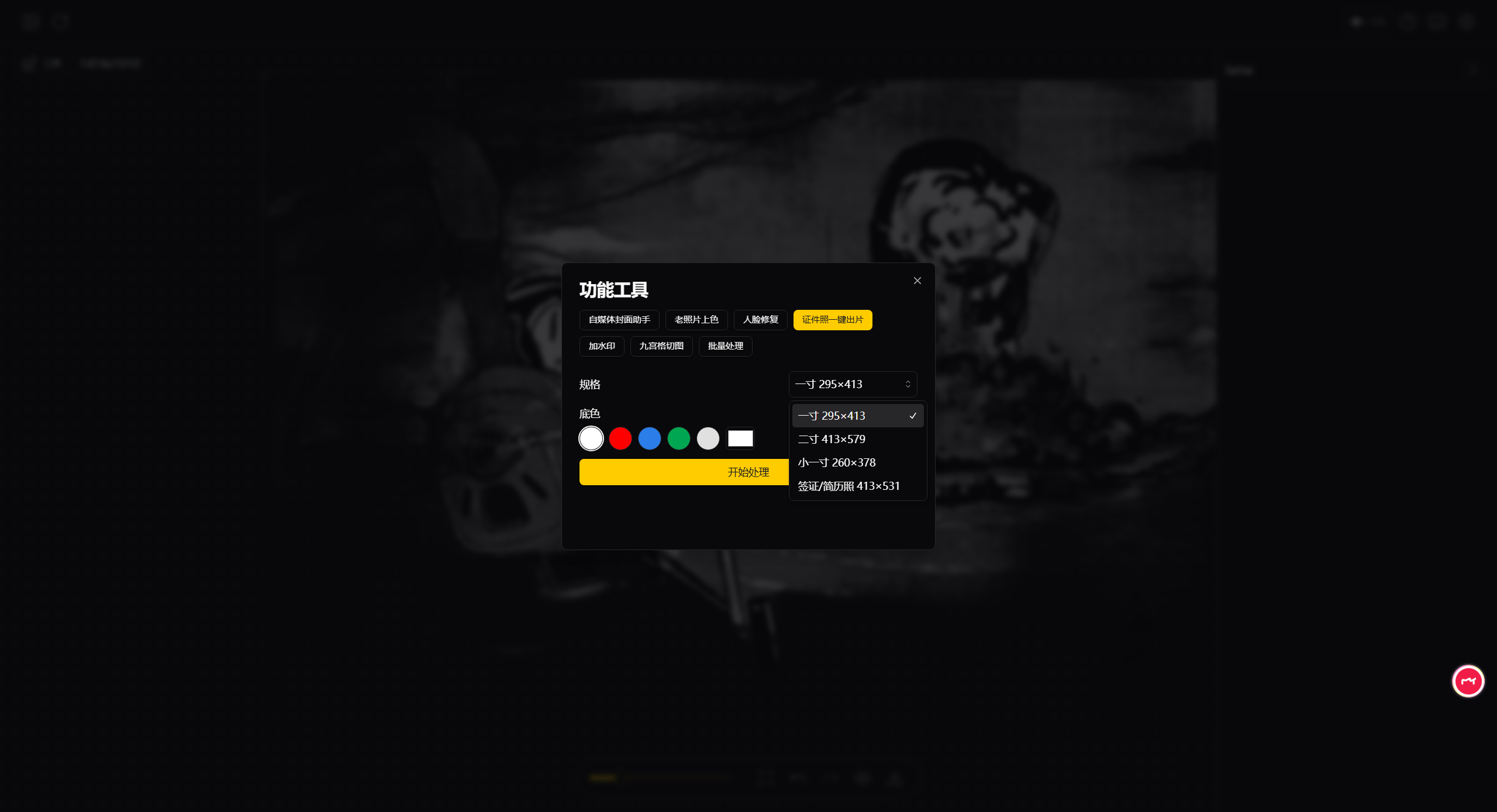
| Change the background color of the ID photo/take a photo of the ID (one inch/two inch/visa) | — | ✅ | ✅ | ✅ |
| Text watermark/Nine Palace grid cut image | — | ✅ | ✅ | ✅ |
| Cover Assistant (4 platforms, 8 specifications, one click image output) | — | — | ✅ | ✅ |
| Facial Restoration (GFPGAN/RestoreFormer) | — | — | ✅ | ✅ |
| Old photo restoration (one click process of decontamination → restoration → enlargement) | — | — | ✅ | ✅ |
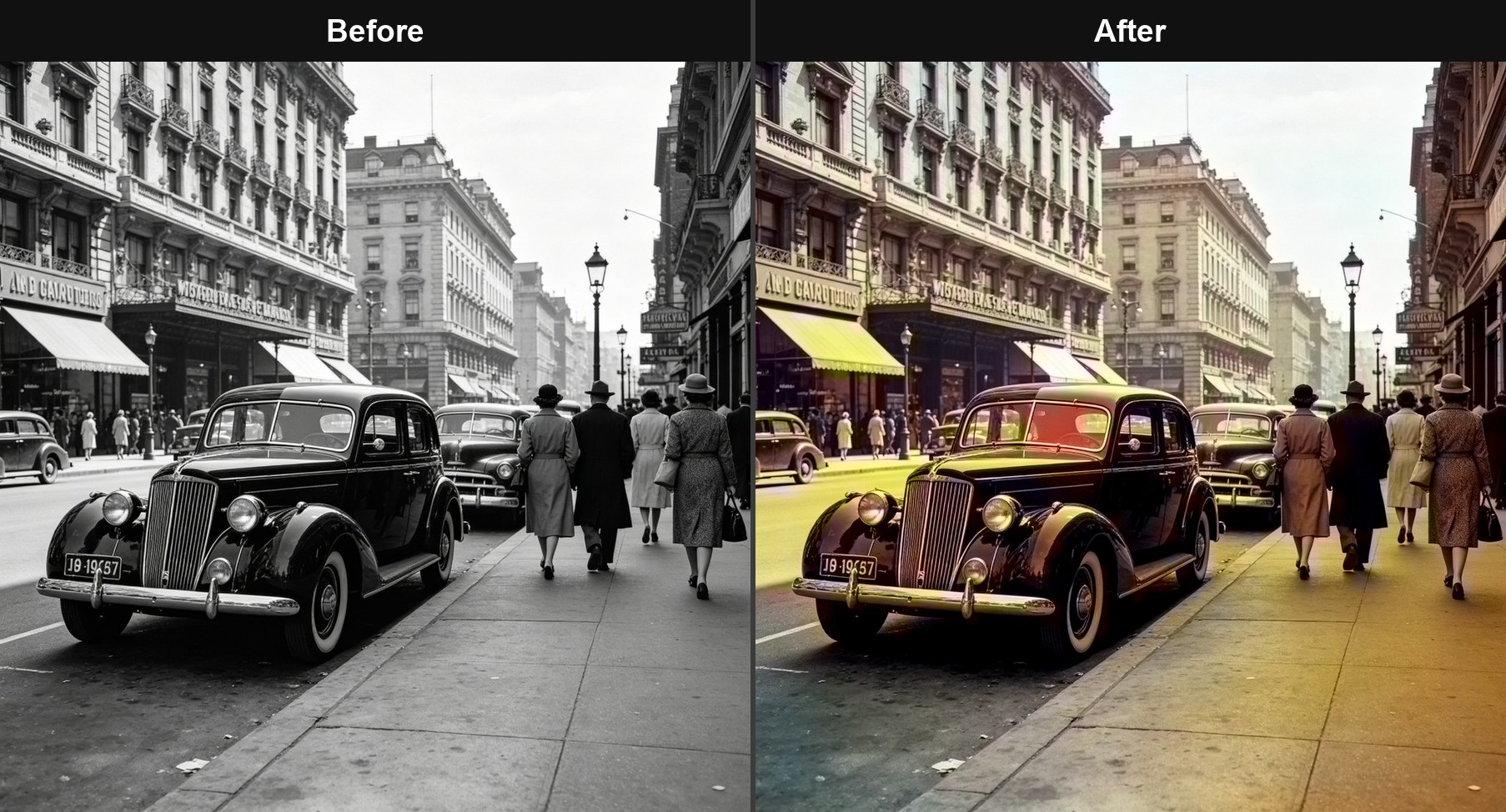
| Black and white coloring of old photos | — | — | ✅ | ✅ |
| Change the background of the product image (white background/scene image) | — | — | ✅ | ✅ |
| Batch processing (entire directory, up to 200 sheets/time) | — | — | — | ✅ |
Selection suggestion: Choose the basic version for daily photo editing; Self media/designers choose flagship version; Choose advanced versions for e-commerce, photography studios, and other industries that require large-scale processing. All versions are available for one-time purchase, permanent use, and automatic price adjustment for cross version upgrades.
Download Now (Free Version)
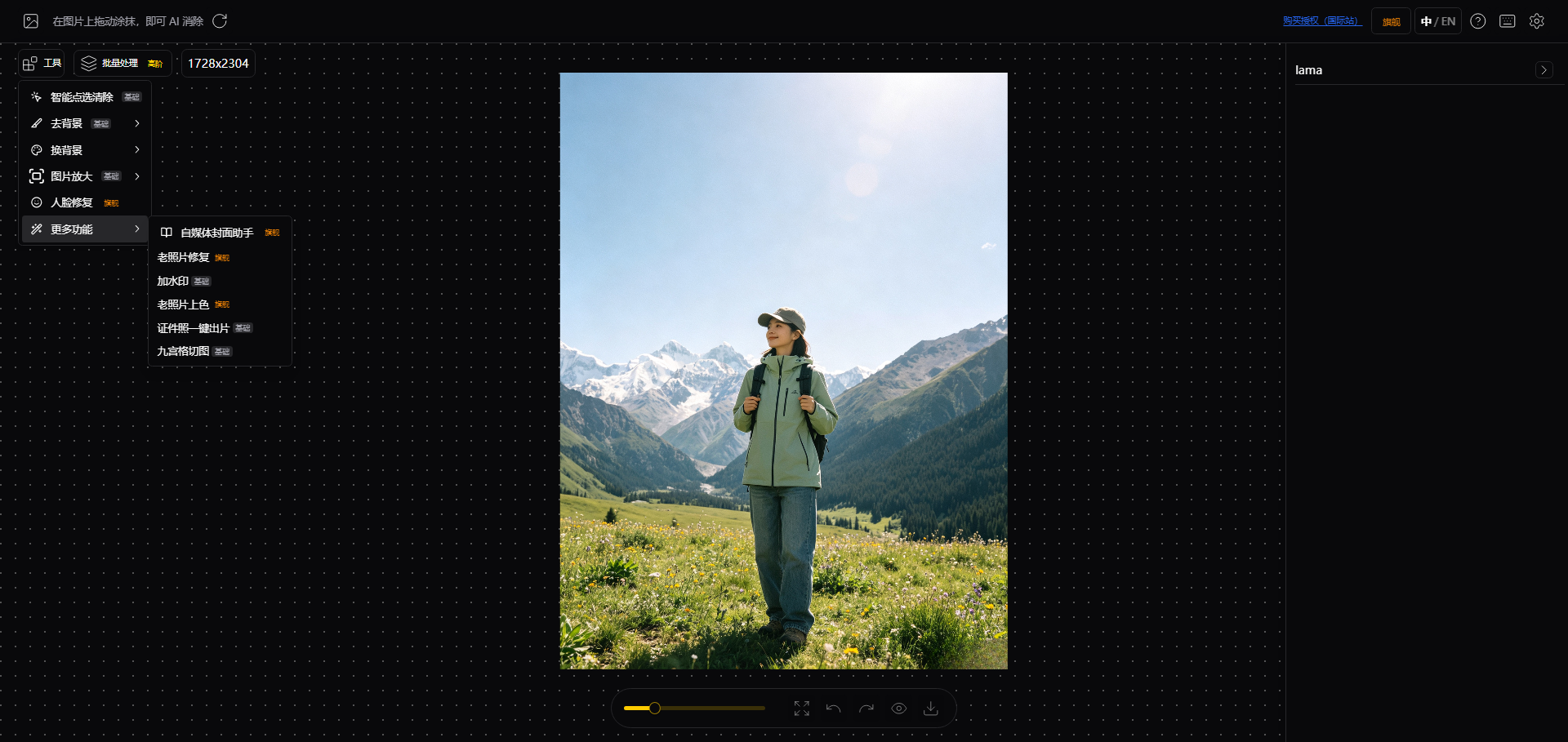
- AI application eliminates watermarks/debrisApply and clear immediately, LaMa model has a natural effect Basic AI Image Editing Ability (Basic Version)
- Intelligent point selection clearingClick the mouse to automatically select and clear objects (SAM segmentation)
- One click cutout to remove backgroundMore than ten models are available, including anime, portrait, and product images
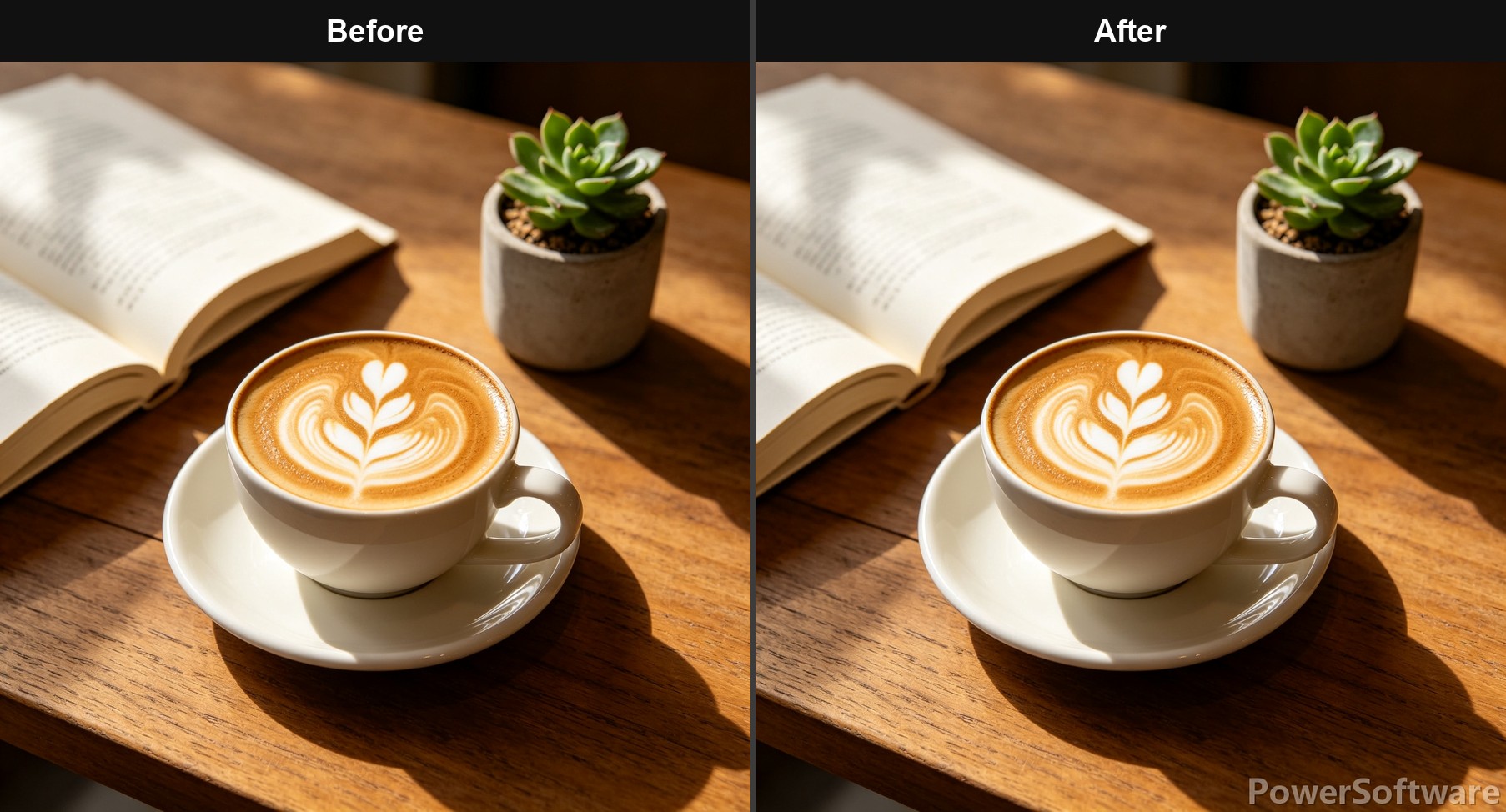
- Super resolution amplificationRealESRGAN enlarges blurry images by 2x/4x become clear
- change backgroundChange the background color of ID photos (blue/white/red background), and change the background color of portraits
- Take a photo of the identification documentOne click generation of one inch/two inch/visa photos, freely changing red/blue/white backgrounds
- text watermarkCustom text watermark, adjustable position/transparency
- Nine Palace Grid Cutting DiagramCut a picture into 9 squares on social media Professional Productivity Tools (Flagship Edition)
- Cover Assistant: Xiaohongshu/Tiktok/B station/official account 8 platform specificationsOne click image display, supporting title/subtitle text,Multiple specifications packaged in one zip download——Self media cover no longer requires opening Photoshop
- Facial RestorationGFPGAN/RestoreFormer enables clear restoration of old photos and portraits
- Image coloringOne click coloring of old black and white photos (requires downloading approximately 130MB model)
- Change the background of the product imageOne click replacement of e-commerce white background image/scene image
- Old photo restorationOne click combination process - stain removal ->face repair ->optional 2x magnification Efficiency Enhancement (Advanced/Flagship Edition)
- Batch processing enhancementProcessing up to 200 images at once (batch cutout/enlargement/watermark), an efficient tool for e-commerce self media Product Guarantee
- Local operation, privacy and securityAll images will only be processed locally and will not be uploaded to the cloud
- Offline availabilityAfter downloading the model once, it runs completely offline
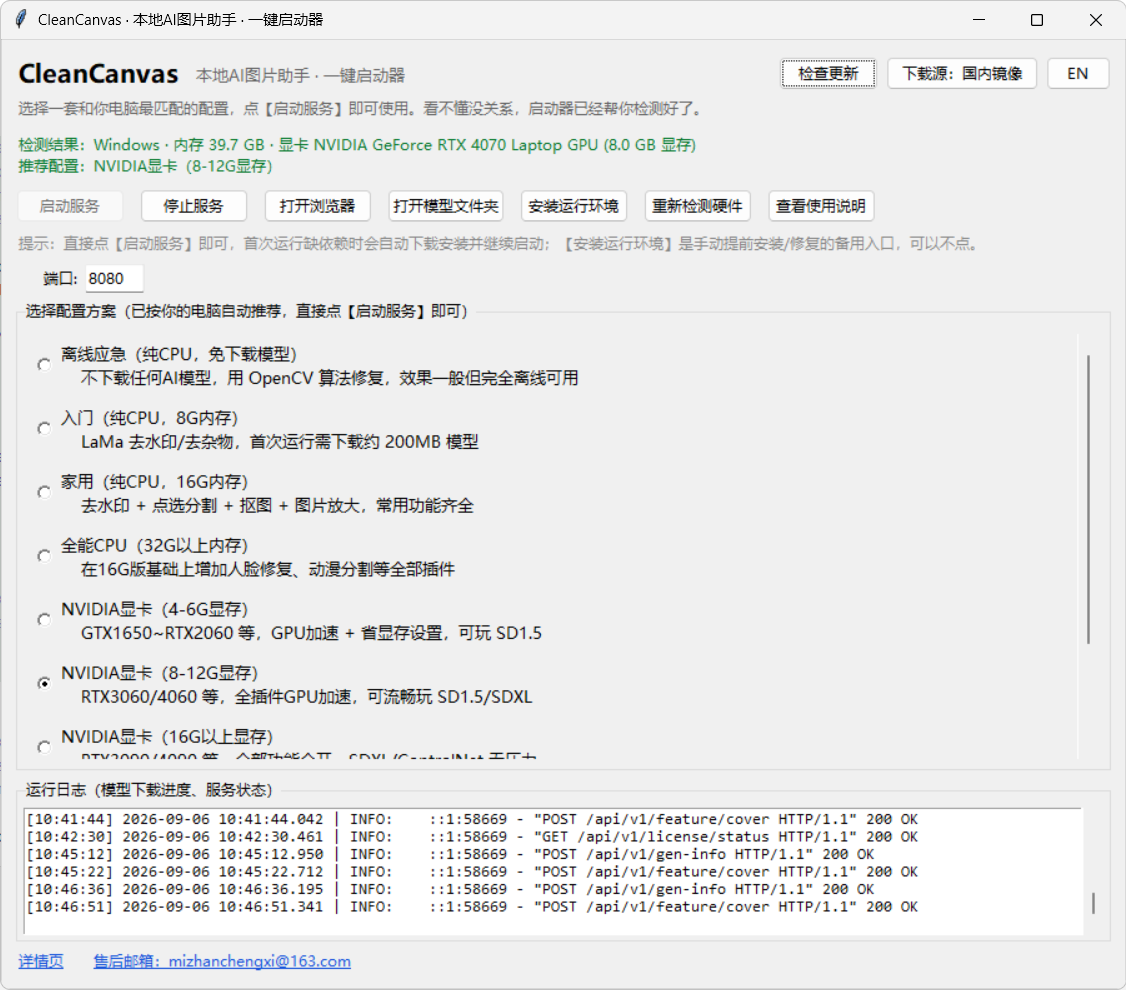
- Hardware self-test, one click startThe launcher automatically detects memory/graphics card and recommends the most suitable configuration, which can be used even if you don't understand computers; Model directly connected to official source for automatic download
- No ads, no watermarks, no membership routinesOne time buyout, permanent use
- Chinese English bilingual interfaceBuilt in [Chinese/English] one click switching, both domestic and foreign users can use it
The pain points addressed by this product/the shortcomings of competing software products
- Meitu Xiuxiu and other online tools: Login required, most AI functions rely on networking; Not open for membership, edited images with watermarks, subscription based, non buyout based, premium features require membership subscription; There are privacy concerns when uploading images to the cloud; Unable to process in batches; Professional AI repair capabilities are limited (average watermark removal effect, no cover assistant or other value-added tools)
- PhotoshopHigh learning costs, expensive genuine subscriptions, and ordinary users cannot use 80% of the features
- Online watermark removal websiteThere is a limit on the number of images, compression of clarity, multiple advertisements, and no guarantee of privacy
- This product proposalLocal AI is available for one-time purchase, with a focus on "image cleaning and repair". It is ready to use out of the box, efficient in bulk, secure in privacy, and available offline
Partners and Successful Cases
🧠 Supported models
Erase repair class(Default) lama):
lama · ldm · zits · mat · fcf · manga(Anime script)· migan · cv2(Traditional algorithm, no need to download)
Diffusion generation class:
Plugin(Enable as needed in settings): Interactive cutout (SAM/SAM2/MobileSAM), RemoveBG, RealESRGAN zoom in, GFPGAN/RestoreFormer face restoration, AnimeSeg anime segmentation.
- Stable Diffusion inpainting:
runwayml/stable-diffusion-inpainting、realisticVisionV51、dreamshaper-inpainting、anything-4.0-inpainting - SDXL inpainting:
stable-diffusion-xl-1.0-inpainting-0.1、Juggernaut-XI-v11、RealVisXL V5.0、Anything-XL - Instruction editing/example driver:
PowerPaint、Paint-by-Example、AnyText(Chinese text generation) - Extended models: ControlNet, BrushNet, InstructPix2Pix, etc
Technical Support and Services
- Multiple source candidatesOfficial source → self built R2 image (mapped according to the original URL hierarchy) → public image (gh proxy/hf-mirror)
- Speed measurement optimizationBefore downloading, pull the measured throughput (non RTT) for each source within a limited time, and select the fastest stable sorting; Speed measurement results with TTL cache
- Run time fallback4~7s no byte pre check to remove 'false active sources'; Continuously below the adaptive threshold, automatically switch to the next source
- Parallel shardingMulti threaded segmented download of files ≥ 10MB and supporting Range (48MB/segment), supporting breakpoint resume
- integrity checkAfter downloading, md5 verification was performed, but it was immediately deleted and re downloaded
- Built in Chinese user manual and common problem document
- One click launcher displays real-time logs, error can be located with one click
- If you have any questions or concerns, please contact us via email [email protected]
frequently asked questions
Q1: Do I need a high computer configuration? No need. A regular computer with 8GB of memory can run it (select the "entry-level CPU" configuration), and with an NVIDIA graphics card, the speed is faster; The launcher will automatically detect and recommend configurations.
Q2: Why download the model for the first time?
The AI model starts at about 200MB, only downloaded once, and then saved in models Folder, permanently offline available.
Q3: Will the pictures be uploaded online? No. All processing is completed locally, and even when disconnected from the internet, downloaded functions can still be used.
Q4: What are the advantages compared to membership based photo editing software? One time purchase for permanent use, no ads or watermarks, with a focus on professional AI repair and support for batch processing.
Q5: What should I do if antivirus software alarms? The software is developed based on the IOPaint open source project (Apache-2.0) and has no malicious code; If there is a false alarm, please add the installation directory to the trust zone. The SmartScreen prompt that pops up when you double-click the launcher is also a similar security prompt. Click More information → Still need to run Just do it (see "Deployment/Usage Prerequisite" for details).
Q6: Windows 11 startup reports fbgemm.dll related errors? This is a known compatibility issue with PyTorch, and there is an official fix available. The link can be found in the document 'Frequently Asked Questions'.
Q7: What are the differences between the three versions?
- Basic version: watermark removal, image cutout, enlargement, background change, ID photo, text watermark, nine grid cutout - sufficient for daily photo editing
- Flagship Edition: Add Cover Assistant, Face Restoration, Image Coloring, Product Image Background Change, Old Photo Restoration, Batch Processing on the Basic Edition - All functions are available for one-time purchase
- Advanced version: Add batch processing on top of the basic version - optional for users who only require batch efficiency
Q8: Python has been installed, but the launcher prompts that it cannot recognize it. What should I do? Process in the following order:
- Add PATH environment variableDouble click the Python installation package again → Click Modify → Next → Check the box Add Python to environment variables → InstallAfter completion, reopen the launcher.
- If it can be recognized not to perform this step, it still cannot be recognized → Repair installationDouble click the Python installation package again → Select Repair Repair Python again and restart the launcher after the repair is complete.
- If none of the above works, please uninstall and reinstall 64 bitVersion (recommended to use Huawei Cloud image direct link:https://mirrors.huaweicloud.com/python/3.11.9/python-3.11.9-amd64.exe )And maintain itDefault installation locationCheck 'Add python. exe to PATH'.
Q9: What should I do if macOS prompts "unable to verify developer" or "damaged" when opening? This is the normal security prompt for unsigned software on macOS. This software has no malicious code. Simply follow the steps below to remove it once, and then double-click to start normally:
- macOS 13 / 14In the "Application" sectionRight click CleanCanvas → Open → Click "Open" again;
- MacOS 15 (Sequoia) and laterRight click → If there is no release button after opening, please go to System Settings → Privacy and Security → Pull to the Bottom → Click "Still Want to Open";
- If it still doesn't work, open "Terminal", paste the following command and press enter (entering the power on password without any response is normal), then double-click again:
sudo xattr -rd com.apple.quarantine /Applications/CleanCanvas.app
Deployment/usage prerequisites
Windows version prerequisites
**Python 3.10-3.12 (64-bit)**The launcher will automatically detect the Python installed on this machine. Please download and install it before installation
- Domestic mirror site (fast download, recommended)
- Huawei Cloud Mirrorhttps://mirrors.huaweicloud.com/python/3.11.9/python-3.11.9-amd64.exe
- Please use the default installation location when installingDo not manually change to the software directory or other custom paths (installing in the program directory is prone to incomplete installation due to permission issues, and the launcher will detect at the default location).
- It is recommended to check "Add python.exe to PATH" during installation.
- Domestic mirror site (fast download, recommended)
It is recommended to use Chrome browserOpen the local operation page (best for Web component compatibility) :
- Google official websitehttps://www.google.cn/chrome/
The minimum memory is 8GB
Graphics card: No requirements (pure CPU can run); It supports GPU acceleration with an NVIDIA graphics card (4GB or more of video memory)
Disk space: The decompressed installation package is approximately 5GB, and an additional 200MB to several GB of model space is required (depending on the function).
The first run requires an Internet connection to download the model. After downloading, it can be used offline
Safety tips before installation/first runIf a blue warning window pops up when double-clicking the launcher:
Windows has protected your computer Microsoft Defender SmartScreen prevents unrecognized applications from starting. Running this application may put your computer at risk.
This is a normal prompt from Windows for unsigned software (this software is built on the open-source project IOPaint, has not purchased a code signing certificate, and contains no malicious code). Processing method: Click on the button on the window For more information Click again Still needs to run Ok. Just operate once. If the antivirus software gives a false alarm, please add the software directory to the trusted area (refer to the frequently asked questions "What to do if the antivirus software alarms?")
macOS version prerequisites
- macOS 12 and above, Intel (x64) and Apple Silicon (M1/M2/M3All supported
- Python 3.10-3.12: The launcher will automatically detect the native Python. When the software is not installed or the version does not match, a boot prompt will pop up. Follow the prompt to download and install Python 3.11 from python.org (just click "next"). After installation, double-click the software again
- Starting from 8GB of memory; Apple Silicon chips automatically enable MPS acceleration
- Disk space: approximately 5GB + Model space 200MB to several GB (depending on the function)
- The first run requires an Internet connection to download the model. After downloading, it can be used offline
- Open the software for the first timeIf the prompt "Developer cannot be verified" or "damaged" appears, it is a normal prompt from the macOS security mechanism (this software has not been purchased with an Apple signature). Just follow the steps in frequently asked questions Q9 to remove it. It only needs to be done once
Implementation/Deployment StepsCollapseExpand
- Windows 用户:双击安装 → 自动检测本地 Python(没有则提供下载链接)→ 点击"开启服务" → 等待模型下载完成(约 10 分钟)→ 自动打开浏览器即可试用。购买授权后无需等待授权码,支付完成刷新校验即可。
- Mac 用户:将软件拖到应用程序目录双击打开,自动执行上述步骤。